
The fastest way to host online trivia: pick a browser-based multiplayer platform, create a room, share the join link or code, and let the live leaderboard do the rest. No downloads, no accounts required for guests, and you can be ready to play trivia in about five minutes.
TL;DR:
- Fast online trivia hosting relies on a browser-based platform with instant join links that require no accounts or downloads.
- Ensuring real-time leaderboard updates and smooth question presentation controls are critical for a fun and engaging experience.
- Roughly a third of hosts report technical issues with join flow or lag, emphasizing the importance of testing beforehand.
- Question quality, platform scalability, and seamless integration with meeting tools are key differentiators for a successful trivia night.
- Self-hosted setups are ideal for small groups, but professional platforms like Trivialism offer robust features for larger events or recurring communities.
Table of Contents
- How to Host Online Trivia in Five Steps
- What Actually Makes a Trivia Platform Fun to Use
- Running a Session People Actually Want to Finish
- Setting Up Trivia on Zoom, Teams, and Discord
- When Things Go Wrong Mid-Game (And How to Fix Them Fast)
- Why Trivialism Is Built for This Exact Job
- Self-Hosting vs. Hiring a Pro
- Ready to Run Your Own Trivia Night?
- A Few More Places to Check Before Game Night
- Sources
- FAQ
How to Host Online Trivia in Five Steps
Here’s the whole setup, start to finish. Wrangle your players into one link, and you’re basically done with the hard part.
- Create a room and pick a mode. Classic gives everyone time to think, Speed rewards fast fingers, and Sudden Death raises the stakes round by round. Pick based on your crowd’s energy, not what sounds fanciest.
- Choose categories and rounds, or grab a ready-made quiz. Three to five rounds is the sweet spot for most sessions. If you’re short on time, a pre-built quiz saves you the writing.
- Share the join link or short code. Drop it in the Zoom chat, Teams channel, or Discord server. A QR code works well if people are watching on a TV or projector.
- Control the pace. Activate each question when the group’s ready, then let the leaderboard update between rounds so everyone feels the tension build.
- Wrap it up. Announce winners, screenshot the final leaderboard, and export results if you need proof for a work event or a grudge match rematch.
That’s it. No software to install, no manual to read.
What Actually Makes a Trivia Platform Fun to Use
Plenty of trivia tools look similar on a landing page. The differences show up the moment your group tries to join, or the moment question 12 starts lagging.
- Join flow matters more than anything else. A short code that works instantly beats an account wall every time, and community hosts on Reddit consistently rank easy joining above almost every other feature.
- Leaderboards should update in real time, with clear tie-break rules so nobody’s arguing about a half-point discrepancy at 9 PM.
- Presentation controls separate the hosts from the guests. You want a host-only view so answers don’t leak, plus control over when a reveal happens.
- Scalability matters if your group grows. A platform that handles 8 players fine might choke at 40, especially with heavy media or animations.
- Question quality is the real differentiator. Hand-written banks with moderation beat auto-generated lists riddled with typos or outdated facts.
- Integration with your meeting tool (Zoom, Teams, Discord) saves you from awkward tab switching mid-game.
Pro Tip: Run a 60-second test round with just yourself before inviting anyone. If the join flow or leaderboard glitches for one person, it’ll glitch for twenty.
Running a Session People Actually Want to Finish
A good trivia night has a rhythm. Miss the rhythm, and even great questions fall flat.
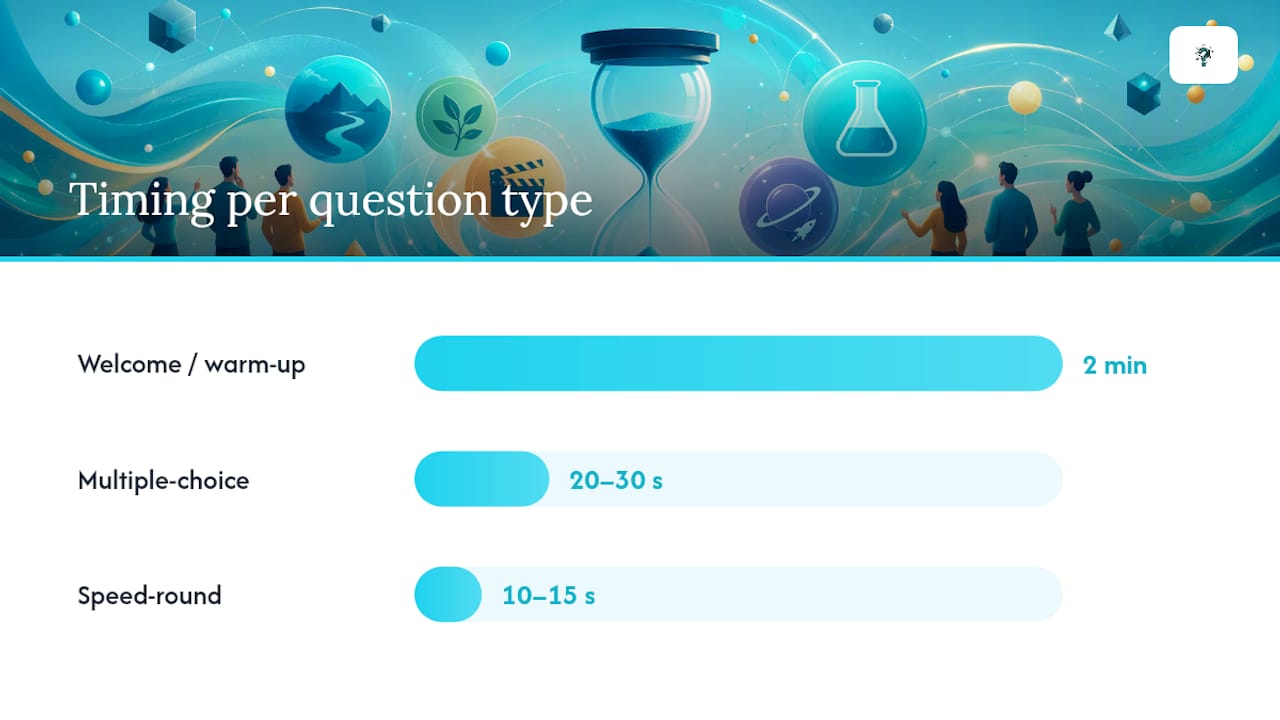
Start with a two-minute welcome and a throwaway warm-up round, something easy that gets everyone talking in chat. Then move into your main event: three to five rounds, mixing categories and stacking difficulty as you go. Save one bonus round, maybe a photo round or an audio clip guess, for a change of pace. Close with a tiebreaker question that’s genuinely hard, so it feels earned when someone wins by a single point.
- Give normal multiple-choice questions 20 to 30 seconds. Any longer and people start scrolling their phones.
- Cut speed-round questions to 10 to 15 seconds. The pressure is the point.
- Mix in a chat-based bonus question every couple of rounds, something with no wrong answer, like “guess the year,” to keep quieter players engaged.
- Announce scores after every round, not just at the end. Nobody wants to wait 40 minutes to find out they’re in last place.
- Decide your tiebreak rule before the game starts (closest numeric guess, fastest correct answer) and announce it upfront so nobody feels cheated later.
Pro Tip: Team play changes the whole energy for larger groups. Splitting 20 people into four teams of five turns a quiz night into a genuine competition instead of a lonely leaderboard grind.
Setting Up Trivia on Zoom, Teams, and Discord
Each platform has its own quirks, and knowing them ahead of time saves you from fumbling mid-game.
- On Zoom or Teams, screen-share your presentation view, not your full desktop, so private host notes or the answer key stay hidden.
- Set a clear mute policy upfront. For big groups, ask players to answer in chat instead of unmuting, which cuts down on chaos fast.
- For Discord, you can run trivia through a bot embedded directly in your server or as an Activity inside a voice channel, so nobody has to leave the chat they’re already in.
- Do a quick device and bandwidth check five minutes before you start. Ask one player to confirm they can see your shared screen and hear you clearly.
- Always drop a backup join link in chat. If your primary link glitches, you don’t want to be typing it out live while ten people wait.
Roughly a third of hosts on trivia forums say their biggest early mistake was skipping a test run entirely, only to spend the first ten minutes of a real session troubleshooting instead of playing, based on recurring complaints in community discussions about ideal hosting setups.
When Things Go Wrong Mid-Game (And How to Fix Them Fast)
Every host hits a snag eventually. Here’s how to chip away at the most common ones without losing the room.
- Players can’t join: Post the direct link again in chat, read the short code out loud, and check whether a work firewall is blocking the meeting URL.
- Scores get disputed: Freeze the leaderboard, pull up your round-by-round export, and apply the tiebreak rule you announced at the start. Don’t improvise a new rule under pressure.
- Screen-share lags: Pause any video or animation-heavy questions, switch to audio-only for a round or two, and let things catch up before resuming visuals.
- Energy drops around round three: Insert a rapid-fire speed round or a low-stakes chat bonus. A jolt of pace almost always revives a sleepy group.
Why Trivialism Is Built for This Exact Job
Trivialism runs on one game engine across browser, Discord bot, and Discord Activity, so your players’ stats and profiles stay synced no matter where they play.
- Free and instant. Guests join without creating an account, and hosts pick categories, difficulty, and mode before sharing a room code.
- Three modes ship out of the box: Classic, Speed, and Sudden Death, each suited to a different group energy.
- Over 40,000 hand-written questions span roughly 90 topics and three difficulty levels, so you’re not stuck rewriting stale content every week.
- Every question can be flagged in-game, and flagged items go to a review queue backed by an AI fact-checking pipeline, so bad questions get caught and fixed.
- Daily content keeps groups coming back, including a themed Quiz of the Day with its own leaderboard, a Daily Games set, and a Photo of the Day, all browsable in an archive.
- Works for recurring communities, whether that’s a weekly workplace social or a Discord server running asynchronous challenges by code.
Self-Hosting vs. Hiring a Pro
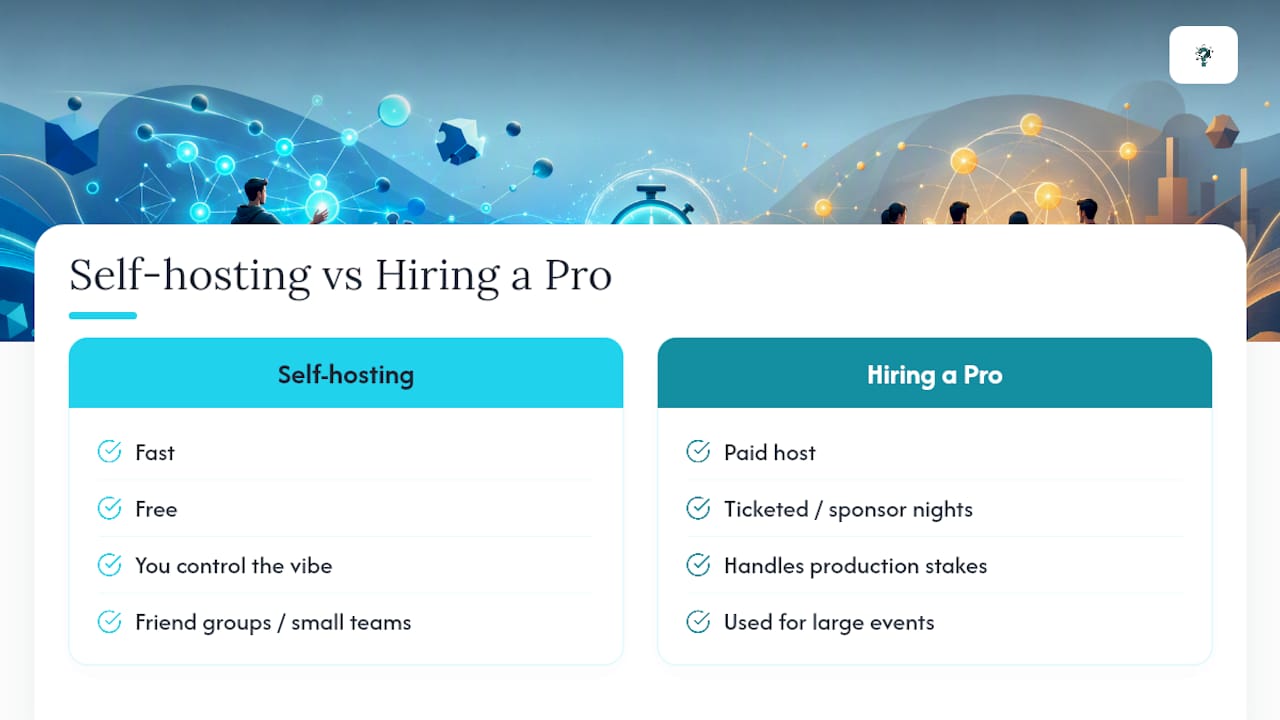
For a friend group or a small team social, self-hosting is genuinely the better call. It’s fast, free, and you control the vibe. Save a paid host for large ticketed events, sponsor-driven nights, or anything with real production stakes. Either way, a quick rehearsal and a platform with solid host controls covers most of the gap between amateur and polished.
Ready to Run Your Own Trivia Night?
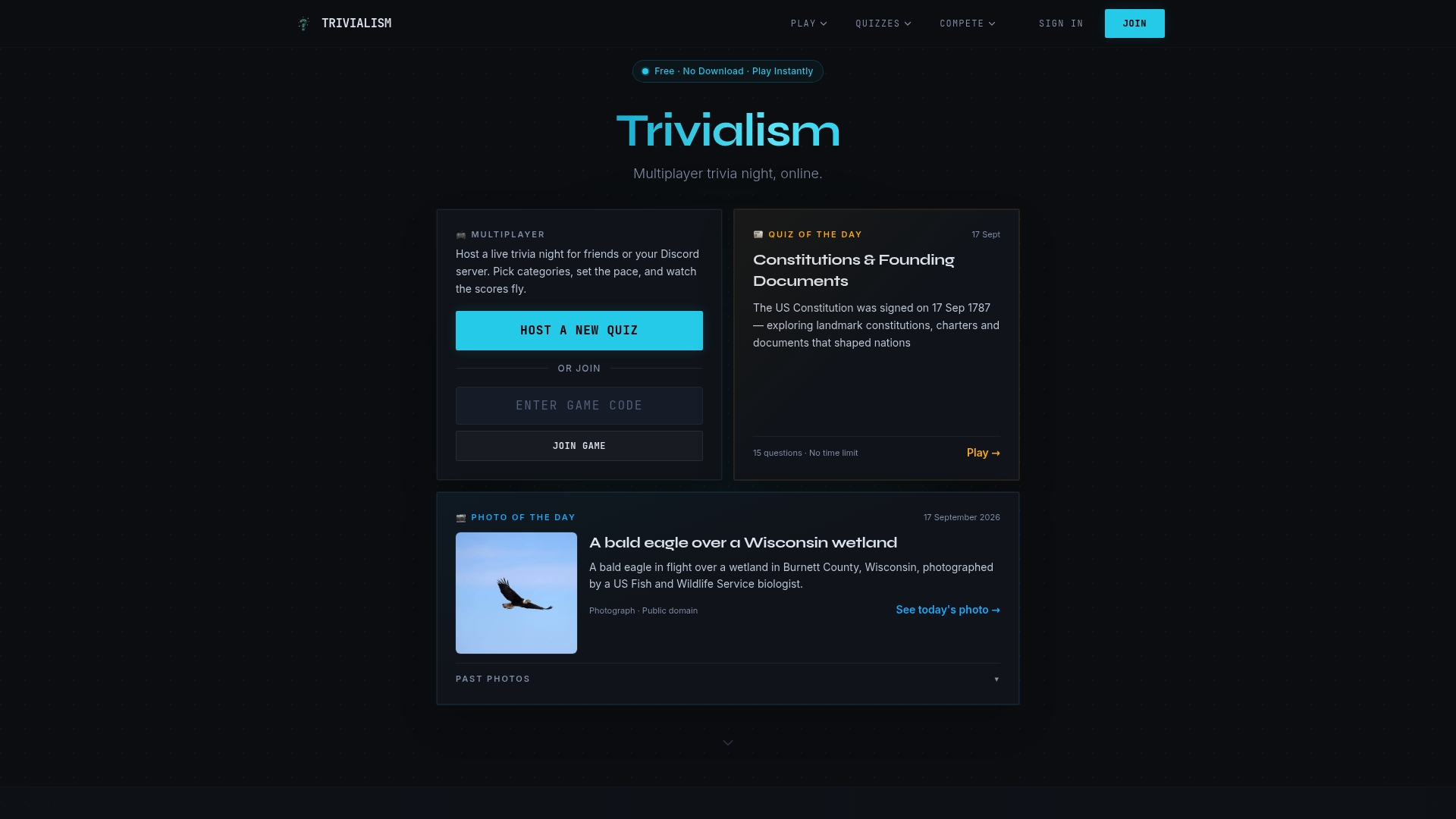
If you’ve been eyeing spreadsheet-built quizzes or clunky video-call workarounds, there’s a simpler route. Trivialism gives you a free, cross-platform trivia engine that works the same whether your group lives on Zoom, in a Discord server, or just wants to open a browser tab and go.
 (Suggested dimensions: 1200x628px, showing a live trivia room with leaderboard visible)
Setting up takes the same five steps covered earlier: create a room, pick your mode, share the code, and start playing. No credit card, no account wall for your guests, and no waiting on a sales call. Head to Trivialism and get your first room running tonight, or check out the Daily Games if you want a ready-made quiz to test the format before building your own.
A Few More Places to Check Before Game Night
Want a second opinion before a big or paid event? Browse G2’s event interaction product reviews or Trustpilot’s hosting reliability reviews for real host feedback on platform stability.
Sources
- Can You Help Me Find the Ideal App/ Website to Host a … — Reddit
- G2 product reviews (example for event interaction product reviews)
FAQ
How Much Do People Charge to Host Trivia?
Rates for professional trivia hosts vary widely by region and event size, often ranging from a flat fee per event to hourly rates for longer corporate sessions. For casual friend or workplace games, free platforms like Trivialism remove the cost question entirely since there’s no host fee involved at all.
What Is the Best App for Hosting Trivia Games?
The best app depends on whether you need mobile play, Discord integration, or zero setup time. Trivialism covers all three with browser play, a Discord bot, and an embedded Discord Activity, all sharing one question bank and one set of player stats.
What Is the Best Online Trivia Platform?
The strongest platforms combine a fast no-download join flow, real-time leaderboards, and reliable question quality. Hosts consistently rank easy joining above niche features, which is exactly where a free, cross-platform option like Trivialism tends to stand out.
How Much Does a Trivia Host Get Paid?
Paid trivia hosts, especially those running bar nights or corporate events, typically earn a flat per-event fee that scales with event length and group size. For self-hosted online games among friends or coworkers, there’s no payment involved since free platforms handle the entire experience.